Forest
Beloved Grand Eagle
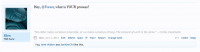
You may have seen in different posts on the forum where someone's username appears like this:
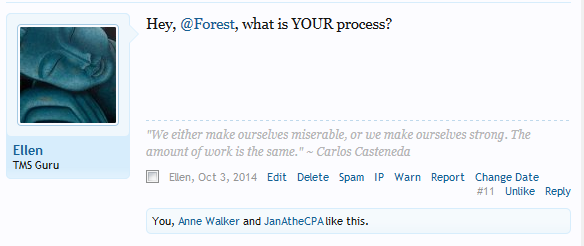
These are "@mentions" and are a great way to draw someone's attention to a specific post.
This is a similar concept to tagging someone in a post on Facebook. This thread is a tutorial on how to @mention someone in a post. You can find a video demonstrating all these steps at the end of this post.
How to @mention someone in a post
Start writing your post in a new or existing thread. When you want to @mention someone, start with the @ symbol, and then start typing the username you want. (Do not put a space between the @ symbol and the username.)
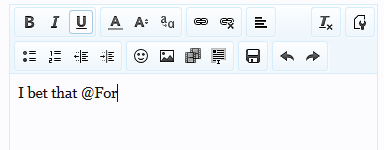
You should see a list of usernames show up after you start typing the beginning of the username:
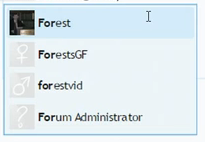
Click on the username of the person you want to @mention, and then continue with the rest of your post. You can also just type in the username yourself without using the drop-down menu.
Here's what your completed post should look like:
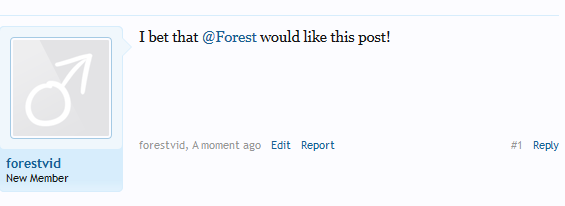
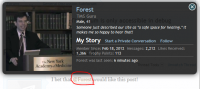
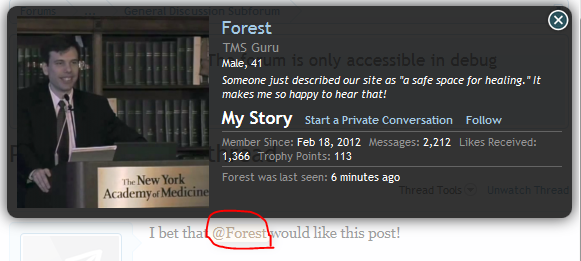
Notice that in the post itself, the @mentioned person's name will also automatically become a link to their forum profile and other details:
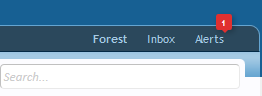
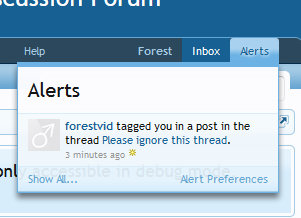
If someone has @mentioned you in a post, you should also get a notification on the forum letting you know who tagged you and what thread they tagged you in. Look in the top-right corner of the forum, under the "Alerts" tab.
I should add that you don't want to overload people with @mentions. Consider who it is you are @mentioning in a post. For instance, you probably don't want to @mention TMS celebrities such as Steve Ozanich a lot. For me, as I say in the video, I'm not great at writing so @mentioning me may not get me to post in the thread.
Overall, though, this is a great way to notify people about certain discussions happening on the forum, and is a great way to pull them into the conversation, especially if you think they would enjoy contributing to the discussion!
These are "@mentions" and are a great way to draw someone's attention to a specific post.
This is a similar concept to tagging someone in a post on Facebook. This thread is a tutorial on how to @mention someone in a post. You can find a video demonstrating all these steps at the end of this post.
How to @mention someone in a post
Start writing your post in a new or existing thread. When you want to @mention someone, start with the @ symbol, and then start typing the username you want. (Do not put a space between the @ symbol and the username.)
You should see a list of usernames show up after you start typing the beginning of the username:
Click on the username of the person you want to @mention, and then continue with the rest of your post. You can also just type in the username yourself without using the drop-down menu.
Here's what your completed post should look like:
Notice that in the post itself, the @mentioned person's name will also automatically become a link to their forum profile and other details:
If someone has @mentioned you in a post, you should also get a notification on the forum letting you know who tagged you and what thread they tagged you in. Look in the top-right corner of the forum, under the "Alerts" tab.
I should add that you don't want to overload people with @mentions. Consider who it is you are @mentioning in a post. For instance, you probably don't want to @mention TMS celebrities such as Steve Ozanich a lot. For me, as I say in the video, I'm not great at writing so @mentioning me may not get me to post in the thread.
Overall, though, this is a great way to notify people about certain discussions happening on the forum, and is a great way to pull them into the conversation, especially if you think they would enjoy contributing to the discussion!